
The Realpacking Web Admin just gained a new way to share video evidence with customers.
Until now, sharing a packing video from the Video List meant sending it through SMS or email. With this update, you can now copy a direct URL and hand it off through any channel that works for your customer, even when SMS or email isn't an option.
Not every customer can be reached through SMS or email.
Until now, you might have had the video to prove the order was packed correctly, but no straightforward way to deliver it to the customer asking for proof.
The Direct Send option closes this gap. You generate a URL, and from there the channel of delivery is yours to choose.
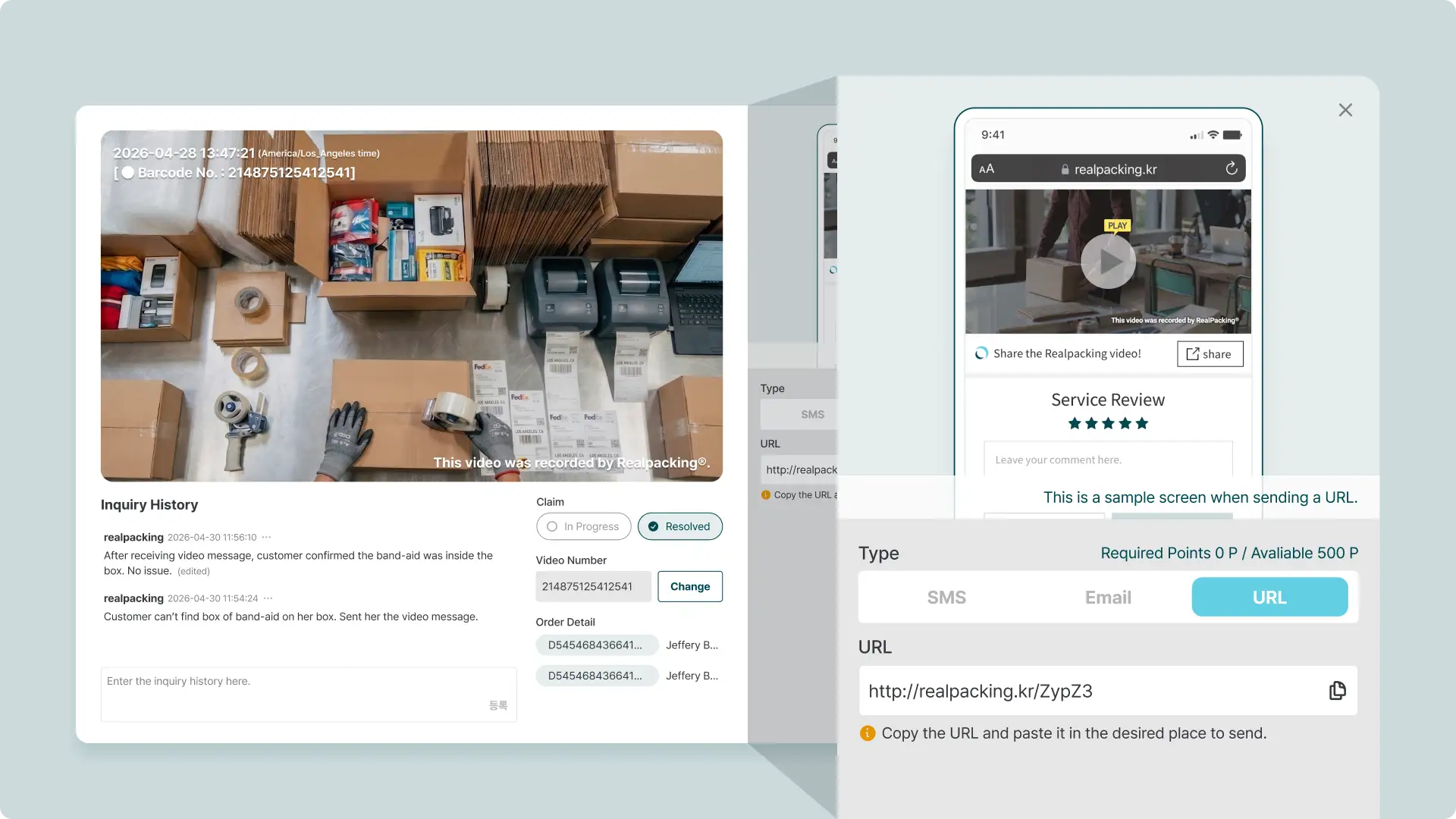
Direct Send is a new option inside the Video Message popup of the Video List. Open the popup for any recorded order, switch to the URL tab, and the system generates a shareable URL that opens the corresponding footage.
There is no message template, no recipient field, and no automated message sent on your behalf. The system gives you the URL only. From there, the channel of delivery is yours to choose based on what works for the customer.
The video your customer sees is identical to the one delivered through SMS or email. Only the delivery channel changes.
💡 Ideal for:
❓ How to Use Direct Send
Direct Send is for cases where you want to hand over only the video link, without an automated message attached. If you'd rather send a templated SMS or email, the existing send options remain available in the same popup.
Direct Send is now available in the Realpacking Web Admin. There is no separate setup or configuration required. Open the Video List today and you'll see the new tab inside any video popup.
If you've ever held a video that could resolve a dispute but couldn't easily get it into the customer's hands, give Direct Send a try.
We'll continue building options that meet your team where your customers already are.


